

Best Gaming Accessories for PC Gamers in UAE
Best Gaming Accessories for PC Gamers in UAE
Content
A powerful gaming PC is only part of a complete gaming setup.
The right gaming accessories can improve your comfort, accuracy, communication and overall gaming experience.
From gaming mice and keyboards to headsets, mouse pads and controllers, choosing the right peripherals depends on the games you play, your budget and your personal preferences.
In this guide, we'll cover the most important gaming accessories PC gamers should consider in the UAE in 2026.
What Gaming Accessories Do You Need?
A complete PC gaming setup can include:
- Gaming mouse
- Gaming keyboard
- Gaming headset
- Mouse pad
- Gaming controller
- Webcam
- Microphone
- Gaming monitor
- Speakers
- Monitor arm
- USB hub
- Gaming chair
You don't need to buy everything at once.
Start with the accessories that have the biggest impact on your gaming experience.
1. Gaming Mouse
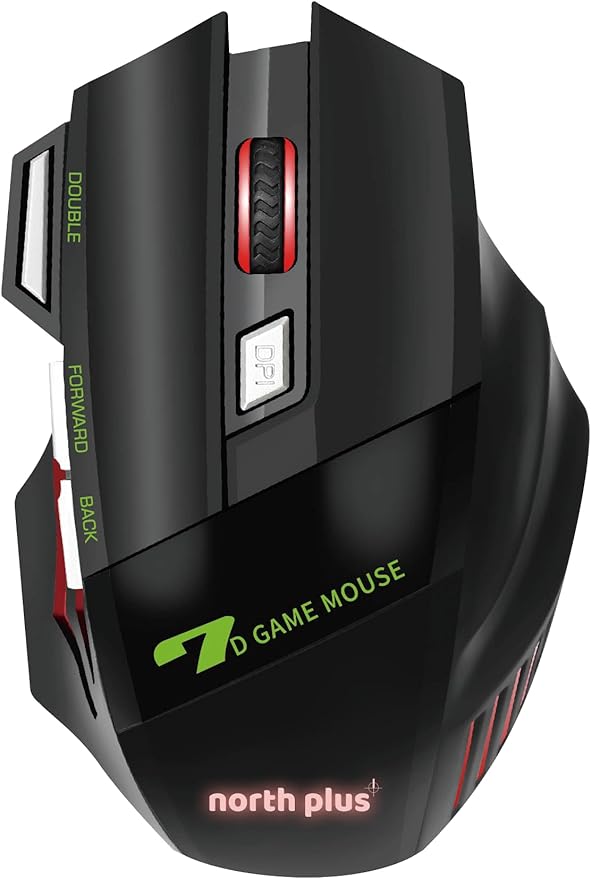
The gaming mouse is one of the most important accessories for PC gaming.
It is particularly important for:
- FPS games
- Competitive games
- Strategy games
- MOBA games
- Battle royale games
A good gaming mouse should feel comfortable and provide accurate tracking.
What Should You Look For?
Important specifications include:
- Sensor quality
- Weight
- Shape
- DPI
- Polling rate
- Wired or wireless connection
- Number of buttons
- Battery life
Don't choose a mouse simply because it has an extremely high DPI number.
Comfort and sensor performance are generally more important.
2. Gaming Keyboard
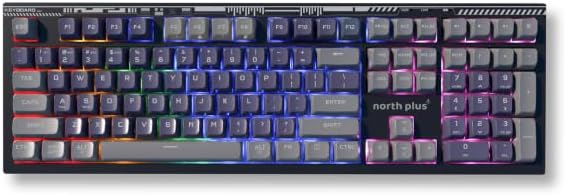
A gaming keyboard can improve responsiveness and make gaming more comfortable.
There are several types of gaming keyboards.
Mechanical Keyboards
Mechanical keyboards use individual switches for each key.
They are popular because they provide:
- Fast response
- Different switch options
- Good durability
- Customization
- A satisfying typing experience
Membrane Keyboards
Membrane keyboards are usually cheaper and quieter.
They can still be perfectly suitable for casual gaming.
What Keyboard Size Should You Choose?
Common layouts include:
- Full-size
- TKL
- 75%
- 65%
- 60%
A full-size keyboard includes a dedicated number pad.
Smaller keyboards save desk space and provide more room for mouse movement.
3. Gaming Headset
A gaming headset provides both game audio and voice communication.
It is especially useful for multiplayer games.
A good gaming headset should provide:
- Clear sound
- Good microphone quality
- Comfortable ear cushions
- Good noise isolation
- Long battery life for wireless models
Wired vs Wireless Headsets
Wired
Advantages:
- No battery required
- Usually lower price
- Simple connection
- Consistent audio
Wireless
Advantages:
- No cable
- More freedom of movement
- Cleaner gaming setup
Wireless models need to be charged, so battery life is important.
4. Gaming Mouse Pad
A mouse pad is often overlooked.
However, it can significantly affect mouse movement.
A good gaming mouse pad provides:
- Consistent tracking
- Smooth movement
- Better control
- More comfortable mouse use
Small vs Large Mouse Pad
A small mouse pad is enough for high-DPI users.
A large or extended mouse pad can cover both the keyboard and mouse area.
For FPS gaming, many players prefer a larger surface because it allows wider mouse movements.
5. Gaming Controller
Not every PC game feels best with a keyboard and mouse.
A controller can be better for:
- Racing games
- Sports games
- Fighting games
- Platformers
- Action games
A controller is also useful if you connect your gaming PC to a TV.
For PC gamers, compatibility with Windows and the games you play is important.
6. Gaming Monitor
The monitor is one of the most important parts of your gaming setup.
A powerful gaming PC needs a monitor capable of displaying its performance.
Important specifications include:
- Resolution
- Refresh rate
- Response time
- Panel type
- Adaptive sync
- HDR
- Screen size
1080p Gaming
1080p remains an excellent option for competitive gaming and budget systems.
High refresh rates such as 144Hz or 165Hz can provide a smooth experience.
1440p Gaming
1440p provides a significant improvement in image detail.
It is an excellent choice for mid-range and high-end gaming PCs.
4K Gaming
4K provides very high image quality.
However, it requires significantly more GPU performance, especially at high refresh rates.
7. Webcam
A webcam is useful if you:
- Stream games
- Make video calls
- Create content
- Attend online meetings
For basic communication, a standard Full HD webcam can be sufficient.
Streamers may prefer higher-quality cameras with better image quality and low-light performance.
8. Gaming Microphone
If you stream or communicate with teammates regularly, a dedicated microphone can provide better voice quality than a built-in headset microphone.
Look for:
- Clear voice reproduction
- Noise reduction
- USB connectivity
- Adjustable microphone position
- Monitoring options
A good microphone can make your streams and multiplayer communication sound much more professional.
9. Gaming Speakers
Headsets aren't always necessary.
Gaming speakers can be useful when:
- Playing single-player games
- Watching movies
- Listening to music
- Using your PC casually
A good speaker setup can make games feel more immersive.
For competitive multiplayer gaming, however, a headset can make it easier to identify directional sounds.
10. USB Hub
Modern gaming setups can require many USB connections.
You may need ports for:
- Keyboard
- Mouse
- Headset
- Controller
- Webcam
- Microphone
- External storage
A USB hub can provide additional connectivity.
However, choose a quality hub and make sure it supports the speeds and power requirements of your devices.
11. Monitor Arm
A monitor arm can improve your desk setup.
It can help you:
- Adjust monitor height
- Improve viewing position
- Save desk space
- Create a cleaner setup
If you use multiple monitors, monitor arms can also help organize the displays.
12. Gaming Chair
A gaming chair is not necessarily required.
The most important thing is proper ergonomic support.
When choosing a chair, consider:
- Back support
- Seat comfort
- Adjustability
- Armrests
- Height
- Material
A comfortable office or ergonomic chair can sometimes be a better choice than a traditional racing-style gaming chair.
13. Gaming Desk
A good gaming desk should provide enough space for your:
- Monitor
- Keyboard
- Mouse
- PC
- Speakers
- Accessories
A larger desk can be particularly useful if you use a large mouse pad or multiple monitors.
Cable management is also important.
14. RGB Lighting
RGB lighting doesn't increase gaming performance.
However, it can improve the appearance of your setup.
You can add RGB lighting to:
- Keyboard
- Mouse
- Headset
- PC case
- Monitor
- Desk
- LED strips
If you have a limited budget, prioritize performance and comfort before RGB accessories.
15. Gaming Accessories for FPS Players
If you mainly play competitive FPS games, prioritize:
- Gaming mouse
- High-refresh-rate monitor
- Gaming keyboard
- Mouse pad
- Gaming headset
For competitive gaming, accuracy, responsiveness and comfort are particularly important.
16. Gaming Accessories for Racing Games
For racing games, a controller can already provide a great experience.
Serious racing enthusiasts may consider:
- Racing wheel
- Pedals
- Wheel stand
- Racing seat
These accessories can dramatically increase immersion.
17. Gaming Accessories for Streamers
If you're planning to stream, consider:
- Gaming PC
- Gaming microphone
- Webcam
- Headset
- Capture card if required
- Stream lighting
- High-quality internet connection
Audio quality is particularly important.
Viewers may forgive average video quality, but poor audio can make streams difficult to watch.
18. Wired vs Wireless Gaming Accessories
Wireless technology has improved significantly.
Wireless gaming mice and headsets can provide excellent performance while eliminating cable clutter.
However, wired accessories still offer:
- No charging
- Simple setup
- Reliable connectivity
- Often lower cost
The choice is mostly about convenience and personal preference.
19. How Much Should You Spend on Gaming Accessories?
You don't need to spend thousands of dirhams to create a good gaming setup.
Budget Setup
Focus on:
- Reliable gaming mouse
- Basic mechanical keyboard
- Comfortable headset
- Good mouse pad
Mid-Range Setup
Consider:
- Better gaming mouse
- Mechanical keyboard
- Wireless headset
- 144Hz+ monitor
- Large mouse pad
High-End Setup
You can consider:
- Premium wireless mouse
- High-end mechanical keyboard
- Premium headset
- 240Hz+ monitor
- Dedicated microphone
- Webcam
- Monitor arm
- Premium desk
Always prioritize the accessories you actually use.
Best Gaming Accessories by Game Type
| Game Type | Recommended Accessories |
|---|---|
| FPS | Mouse, keyboard, headset, high-refresh monitor |
| Racing | Controller, racing wheel, pedals |
| Sports | Controller, headset |
| MOBA | Gaming mouse, keyboard |
| MMORPG | Mouse with extra buttons, keyboard, headset |
| Streaming | Microphone, webcam, headset |
| Casual Gaming | Controller, headset, mouse |
How to Build a Complete Gaming Setup
If you're starting from zero, don't buy everything immediately.
A good order is:
Step 1
Choose your gaming PC or gaming laptop.
Step 2
Choose a suitable gaming monitor.
Step 3
Buy a gaming mouse and keyboard.
Step 4
Choose a headset.
Step 5
Add a large mouse pad.
Step 6
Add optional accessories such as a controller, webcam or microphone.
Step 7
Improve your desk setup and cable management.
This approach helps you spend your budget where it matters most.
Common Gaming Accessories Mistakes
Buying Based Only on RGB
RGB looks great but doesn't improve performance.
Buying an Extremely Expensive Mouse
A more expensive mouse isn't necessarily more comfortable.
Ignoring Ergonomics
You may use your gaming accessories for several hours every day.
Comfort matters.
Buying the Wrong Monitor
A powerful GPU paired with a basic 60Hz monitor may not allow you to enjoy its full potential.
Buying Too Many Accessories
Start with the essentials and upgrade gradually.
Final Verdict
The best gaming accessories depend on your games, budget and personal preferences.
For most PC gamers, the most important accessories are:
Gaming Mouse + Gaming Keyboard + Gaming Headset + Mouse Pad + Gaming Monitor
Competitive gamers should prioritize responsiveness and accuracy.
Racing gamers may benefit more from a controller or racing wheel.
Streamers should prioritize a good microphone and webcam.
And if you're building a gaming setup on a budget, don't feel pressured to buy expensive accessories immediately.
Start with the essentials and upgrade your setup over time.
Looking for gaming accessories in the UAE? Explore Gaming Store UAE and find gaming peripherals designed to complete your setup.